Essay
Where the time in a Laya decision goes, measured on a laptop GPU
One Laya call split into its phases on an RTX 4060 Laptop GPU: tokenizing, copying, the encoder, the head and kernel launches, with CUDA graphs, TileLang and TensorRT compared.
- LLM inference
- GPU infrastructure
- Benchmarking
- Encoder models
Laya is a decision model from Convai Innovations. You give it a piece of text and a few typed questions, such as "which team should handle this?" or "is the customer about to leave?", and it answers all of them in one forward pass, with a probability for every option. It never generates text. Its model card puts one decision at about 33 ms.
A forward pass of a 421-million-parameter encoder over a few hundred tokens is a small job for a GPU. So where do the milliseconds go? I split one Laya call into its phases on a laptop, counted the GPU kernels it launches, and timed four ways to run it faster. Every number here comes from one command and one released dataset, linked at the end.
What did I measure, and on what?
The machine is a Lenovo Legion laptop: an Intel Core i9-14900HX, an NVIDIA GeForce RTX 4060 Laptop GPU with 8 GB, and 32 GB of memory, on Windows 11, plugged in, in the vendor's Performance mode, with no overclock.
The model is Laya's English checkpoint and its typed-decisions checkpoint, both ModernBERT-large with a two-layer decision head, 421 million parameters in all. Both are pinned to the commits that the laya package itself reviews, and the weights are checked by hash before every run. The runtime is laya 0.4.11.
Two workloads, fixed for every run:
- Questions per call. One support ticket with 1, 5, 10 or 50 questions. The ticket and the questions are the ones in laya's own latency script, so these rows line up with its published tables.
- States per call. 1, 8, 32 or 64 short tickets with one question each, answered by
predict_batchin one forward pass.
Each row is the real predict_batch call: five rounds, each after a warm-up, with the median (p50) and the 99th percentile (p99) taken per round. Two results count as different only when the ranges of their round medians do not overlap.
What is inside one Laya call?
Laya turns each question into its own row: the ticket's tokens, then the question and one marker token per option. Every row goes through the same steps, which I timed one by one, waiting for the GPU to finish between steps:
- Prepare. Check and normalize the questions.
- Tokenize. Turn the ticket and each question into token ids.
- Collate. Pad the rows into one batch of tensors.
- Copy in. Move the batch to the GPU.
- Encoder. ModernBERT-large: 28 layers.
- Head. Two more transformer layers, then a score for each option and a small act head.
- Copy out. Move the scores back.
- Decode. Softmax, calibration temperature and the typed answers, in NumPy and Python.
The step-by-step version gives the same answers as predict_batch, to the last digit. The waits between steps add a little time, so the tables also show the unsplit p50.
How much work is one decision?
Less than it looks. A forward pass costs about two operations per parameter per token, plus attention. The question I started from assumed 512 tokens: 2 x 421 million x 512, or 0.43 trillion operations. But Laya pads only to the longest row in the call, and the ticket in laya's latency script makes a row of 194 tokens. Counted from the checkpoint's own config, real tokens only, one decision is 146.6 billion operations.
To know what that costs, I measured what this GPU can do at best: a large BF16 matrix multiply runs at 27.78 TFLOP/s, and a large copy at 218.9 GB/s. NVIDIA publishes no tensor TFLOPS for its laptop GPUs, so the measured ceiling is the yardstick. At that rate, one decision's arithmetic takes 5.3 ms.
The default call takes 24.4 ms. So the arithmetic is not where the time goes.
Where does the time go?
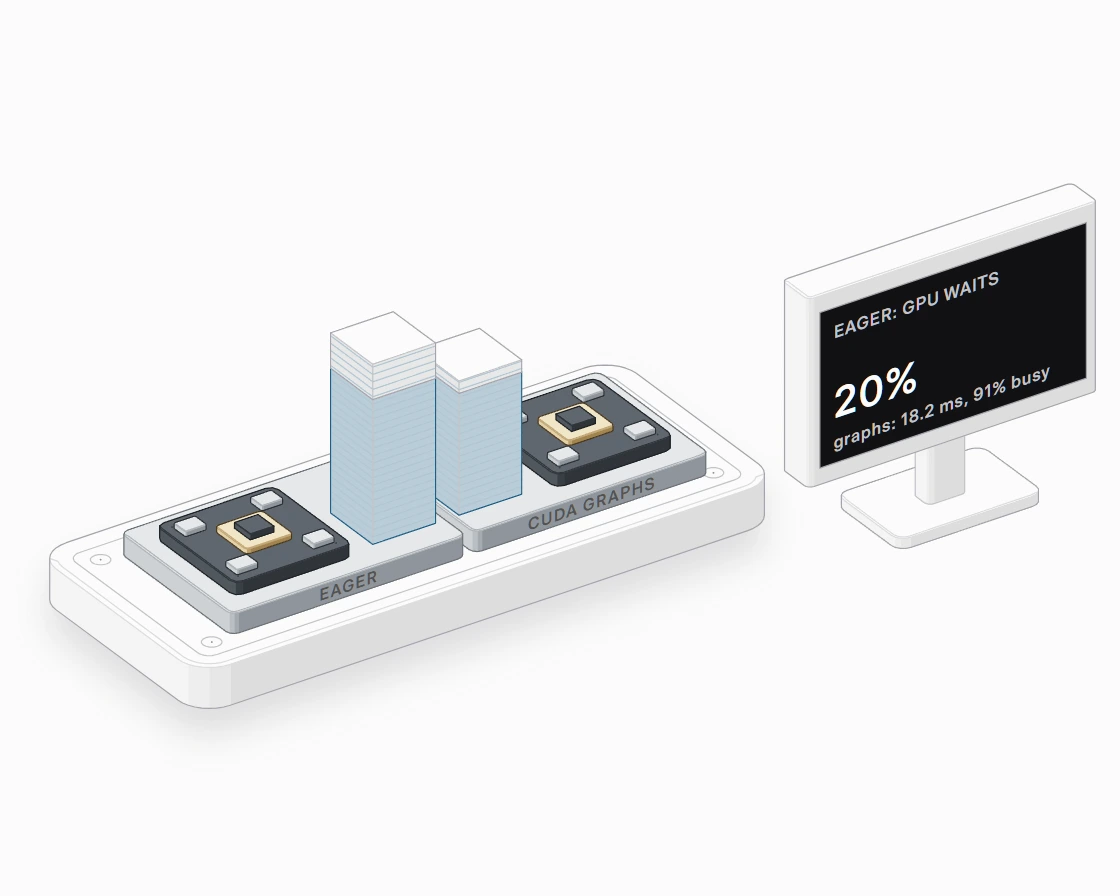 Hover a part to see its name
The default path, BF16 eager PyTorch, step by step (median ms per call):
| Step | 1 question | 64 states |
|---|---|---|
| Prepare | 0.01 | 0.01 |
| Tokenize | 0.55 | 3.97 |
| Collate | 0.09 | 1.33 |
| Copy in | 0.13 | 0.18 |
| Dispatch | 0.06 | 0.08 |
| Encoder | 21.75 | 156.95 |
| Head | 2.08 | 9.63 |
| Copy out | 0.11 | 0.16 |
| Decode | 0.08 | 1.31 |
| All steps | 24.86 | 173.63 |
| Unsplit | 24.45 | 173.88 |
Dispatch is the time between the copy and the encoder's first operation: autocast and Python. Tokenizing, copying and decoding together take under 1 ms. Nearly all of the call is the encoder. But the encoder's time is not all arithmetic.
Is the GPU computing or waiting?
The PyTorch profiler counts the GPU kernels one call launches and adds up the time they run. One question launches 1,329 kernels. They run for 19.6 ms of the call's 24.4 ms: the GPU is busy 80% of the time and waits for the rest.
The wait is the host. In eager PyTorch, Python launches each kernel in turn: a matrix multiply, a normalization, an activation, again for every layer. Each launch costs a few microseconds on the CPU. When each kernel is small, the GPU finishes it before the next one arrives, and idles.
This is not new to Laya's authors. Laya's own benchmark notes say that small requests are "launch-overhead bound in the stock path", and that a CUDA graph removes that. What this teardown adds is the measured split on one machine: how many kernels, how much of the call the GPU spends waiting, and how that share changes with the size of the call.
The default path at every size:
| Call | Kernels | GPU busy, ms | p50, ms | Busy share | TFLOP/s while busy |
|---|---|---|---|---|---|
| 1 question | 1,329 | 19.58 | 24.45 | 80% | 7.49 |
| 5 questions | 1,343 | 57.15 | 62.27 | 92% | 13.12 |
| 10 questions | 1,317 | 105.37 | 110.77 | 95% | 14.31 |
| 50 questions | 1,313 | 575.39 | 588.25 | 98% | 13.11 |
| 1 state | 1,165 | 12.90 | 29.10 | 44% | 2.65 |
| 8 states | 1,283 | 25.53 | 30.94 | 83% | 10.52 |
| 32 states | 1,373 | 76.54 | 84.58 | 90% | 14.12 |
| 64 states | 1,315 | 174.15 | 173.88 | 100% | 12.55 |
The busy time comes from a separate profiled call, so at 64 states it comes out slightly above the unprofiled p50.
As a call grows, each kernel gets more work and the wait shrinks: one short state keeps the GPU busy 44% of the time, and at 64 states it is busy all of the time. Batching does what a faster launch path does, from the other side.
What removes the wait?
Five ways to run the same model, each checked against the same answers:
- CUDA graphs.
torch.compilein itsreduce-overheadmode records the kernels once and replays them as one launch. - TileLang. Laya's own fast path,
laya[fast]: fused kernels for the encoder and the head, with BF16 weights and one CUDA graph per batch and length bucket. - TensorRT FP16. An ONNX export of the model, run by ONNX Runtime's TensorRT provider, with LayerNorm kept in FP32.
- ONNX Runtime CUDA. The same export in FP32, run by ONNX Runtime's CUDA provider.
- FP32 and FP16 eager. PyTorch without autocast, and with FP16 in place of Laya's default BF16.
Median ms per call:
| Path | 1 question | 10 questions | 1 state | 64 states |
|---|---|---|---|---|
| BF16 eager (the default) | 24.4 | 110.8 | 29.1 | 173.9 |
| FP16 eager | 27.8 | 110.2 | 20.9 | 176.2 |
| FP32 eager | 39.6 | 309.4 | 20.4 | 483.8 |
| CUDA graphs | 18.2 | 91.1 | 11.2 | 145.2 |
| TileLang | 12.9 | 121.5 | 6.4 | 152.9 |
| ONNX Runtime CUDA | 22.7 | 222.7 | 13.7 | 350.5 |
| TensorRT FP16 | 10.8 | 68.6 | 8.5 | 105.9 |
The faster paths help most where the wait was largest: one question goes from 24.4 ms to 10.8 ms. At 64 states they help less, because there the GPU was already busy.
A call with no waiting is still not at the ceiling. With CUDA graphs, one question keeps the GPU busy 91% of the time, but its kernels run at 8.9 TFLOP/s, 32% of what a large matrix multiply reaches. A single row of a few hundred tokens makes small matrices, and small matrices do not fill a GPU. More rows per call is the only fix for that.
How many decisions per second?
Decisions per second at the median, one question per state:
| Path | 1 state per call | 64 states per call |
|---|---|---|
| BF16 eager (the default) | 34 | 368 |
| FP16 eager | 48 | 363 |
| FP32 eager | 49 | 132 |
| CUDA graphs | 89 | 441 |
| TileLang | 155 | 419 |
| ONNX Runtime CUDA | 73 | 183 |
| TensorRT FP16 | 118 | 604 |
| PyTorch, CPU | 10 | 14 |
| ONNX Runtime, CPU | 12 | 15 |
On this laptop, the default path answers 368 decisions per second when 64 tickets share a call, and 604 with TensorRT FP16. If your traffic arrives one ticket at a time, a short batching window does more for throughput than any of the runtimes above.
What about the CPU?
On the i9's CPU cores, in FP32, one question takes 400 ms, and ONNX Runtime takes 276 ms. The CPU has no launch problem; it is simply slower at the arithmetic, so its time grows with every question and every token. Fifty questions take 14,996 ms.
Do the answers change?
No answer changed. Every backend's probabilities were compared with FP32 PyTorch on the CPU, row by row. Across 144 rows, every answer picked the same option, and the largest probability difference was 0.012, in the default BF16 path at 64 states. The BF16 paths differ most, as Laya's own fast-path notes also show; FP16 stays closer to FP32.
What does a hot laptop do to these numbers?
More than any runtime choice. In a development run, after an hour of CPU-heavy work, the same one-question call took 48.8 ms instead of 25.6 ms: the GPU was at 84 C and had dropped its clock. Switching the laptop from its balanced mode to Performance mode moved the default call from about 27 ms to 24.4 ms. So in the released run every backend starts after the GPU has cooled to 65 C, the GPU backends run before the CPU ones, and each row records the GPU's temperature and clock.
One more trap, on Windows: when a process asks for more GPU memory than the card has, the driver can spill into system memory instead of failing. In a development run that kept old models in memory, one ONNX Runtime row took 52 s per call instead of 1.3 s, with no error. The released run met the same trap from another side: ONNX Runtime's CUDA memory pool grows in large steps and never shrinks, and after the 50-question call it held about 7.5 GB of the card's 8 GB. Six rows ran up to 2.8 times slower, again with no error. The benchmark now grows that pool only as each call asks and caps it below the card's memory; the ONNX Runtime CUDA rows were measured again, and the first measurements stay in the results folder. It also frees each backend before the next, and records the GPU memory in use at the start of every row.
Limits
- One laptop, one operating system, one power mode. A data center GPU computes each kernel faster, and the host launches them no faster, so I expect its waiting share to be larger, not smaller. That is a prediction, not a measurement here; a result from such a machine will settle it.
- The inputs are short support tickets. Long documents make bigger matrices and shift the balance toward arithmetic.
- In-process calls only: no HTTP server, no queue, no concurrent requests.
- TensorRT ran in FP16. FP8 needs a quantized export and calibration data, and is not measured here.
- The AMD laptop and the Apple Mac mini runs are next; their results will be added to the same repository.
- TileLang 0.1.15 needed one setting on Windows to compile its kernels (
TILELANG_DISABLE_CLANG_CL=1); the fix is in TileLang after that release.
How to reproduce it
The benchmark is system-one-bench. The results on this page are in its results/rtx4060-laptop/ folder at tag v0.1.0, with the machine's fingerprint, every package version, and the raw rows as CSV. One command runs the same matrix on your machine:
git clone https://github.com/DarkStark9000/system-one-bench
cd system-one-bench
git checkout v0.1.0
uv sync --extra onnx
uv run sob reproduce --tag v0.1.0 --machine my-machine --note "power mode, overclock"
A result from another machine is welcome as a pull request.
References
- Convai Innovations, Laya model card, for the architecture and the T4 latency.
- Convai Innovations, laya v0.4.11, Apache 2.0: the runtime, its benchmark notes on the stock path's launch overhead and the TileLang fast path, and its latency script, whose inputs this benchmark reuses.
- bhushankinge on GitHub, laya-cuda-bench, an independent capacity study of Laya with TensorRT FP16 on data center GPUs.
- Warner et al., Smarter, Better, Faster, Longer: A Modern Bidirectional Encoder, for ModernBERT.
- PyTorch, CUDA graphs and torch.compile.
- TileLang, and issue 3509 on its Windows host compiler.
- ONNX Runtime, TensorRT execution provider.